
Agnes AI Setup
यह अनुभाग अभी तक हिन्दी में उपलब्ध नहीं है
सामग्री अंग्रेजी में प्रदर्शित की जा रही है। यदि आप अनुवाद में मदद करना चाहते हैं, तो कृपया GitHub पर xmcl-page रिपॉजिटरी में योगदान दें।
This guide helps you configure the built-in AI Agent in XMCL.
Agnes AI is free
Agnes AI is completely free to use. You only need to create a free API key — there is no payment, subscription, or credit card required.
After completing this page, you should be able to:
- open the AI Agent dialog;
- diagnose crash logs with the built-in agent;
- run agent tools (mod toggle, install, config search/edit, etc.).
Dedicated Guides for Other Models:
In addition to Agnes AI, you can connect other models:
What You Need
- XMCL latest version.
- Internet access.
- A free Agnes AI API key.
Step 1: Get Your Agnes AI API Key
- Open the Agnes AI developer portal.
- Create or sign in to your account.
- Create an API key.
- Copy and store the key safely.
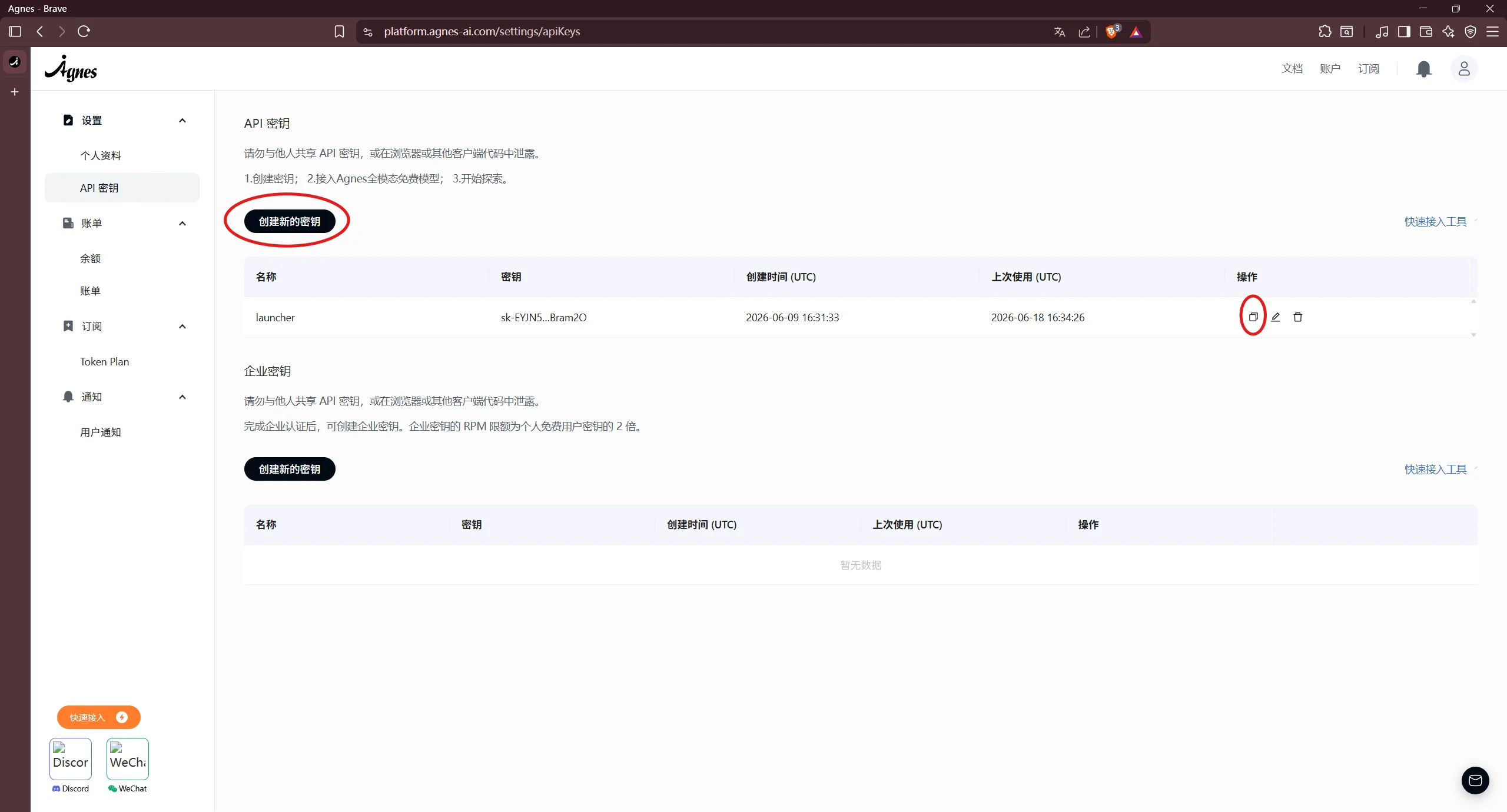
Step 2: Open XMCL Agent Settings
- Open XMCL.
- Go to Settings -> General.
- Enable Developer Mode.
- Scroll to the AI Agent section.
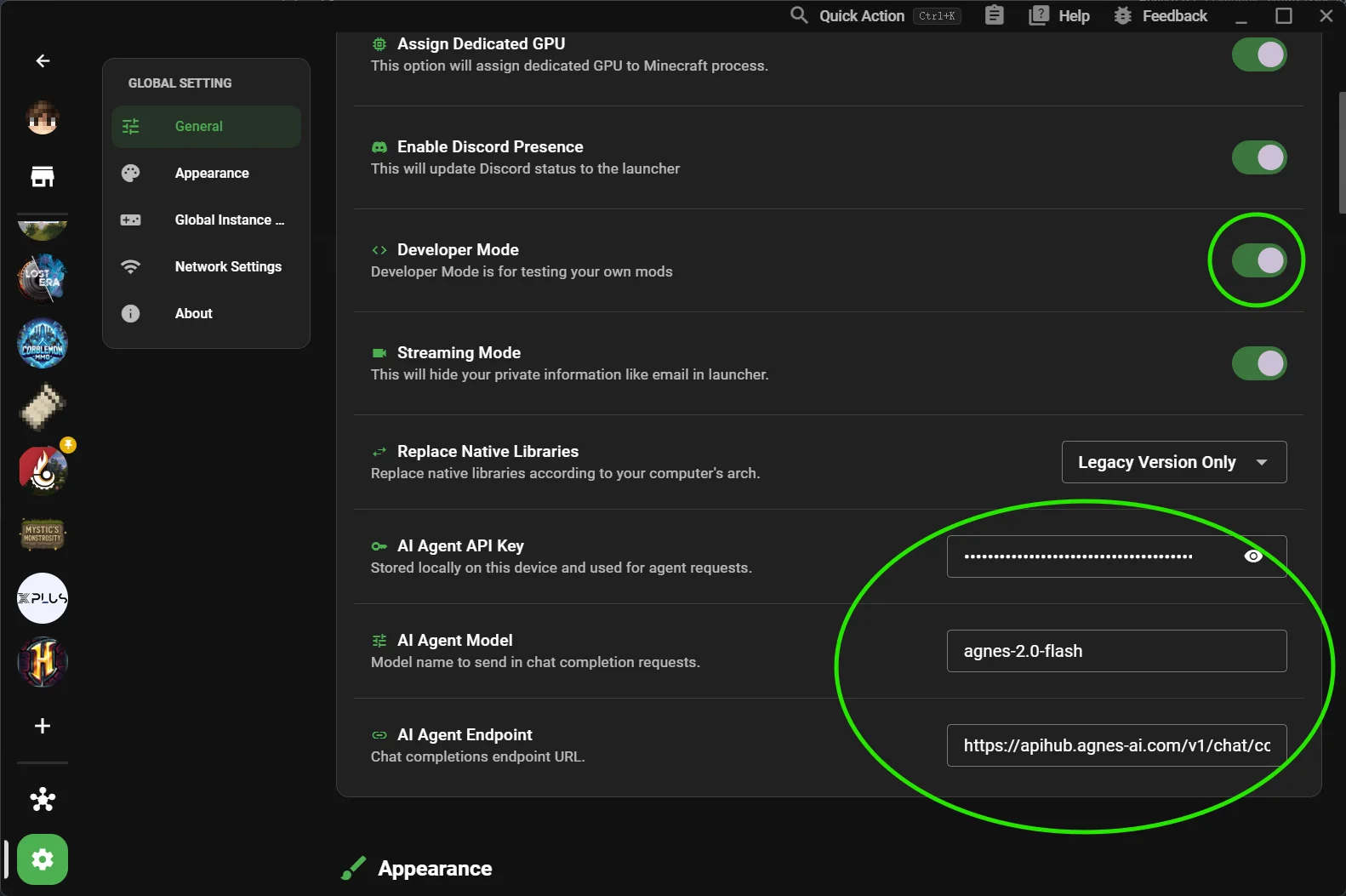
Step 3: Fill Agent Fields
In AI Agent settings:
- API Key: paste your Agnes key.
- Model: keep default unless instructed otherwise.
- Endpoint: keep default unless instructed otherwise.
Default Agnes endpoint:
text
https://apihub.agnes-ai.com/v1/chat/completions
Step 4: Verify It Works
- Press
Ctrl/Cmd + Shift + Ato open the Agent dialog. - Send a simple message like:
list my installed mods. - Confirm the assistant replies without configuration error.
Troubleshooting
Agent does not open
- Confirm Developer Mode is enabled.
- Restart XMCL once after enabling Developer Mode.
"Not configured" warning still appears
- Re-check API key (no extra spaces/new lines).
- Ensure endpoint is reachable from your network.
Request failed / 401 / 403
- API key is invalid, expired, or has no permission.
- Regenerate key in Agnes portal and paste again.
Request timeout
- Check firewall/proxy.
- Try again with default endpoint.
Security Notes
- Treat API keys like passwords.
- Do not share screenshots containing your key.
- Rotate keys if you suspect leakage.