
Skip to content
XMCL / FOR MODPACK CREATORS

Build modpacks with the whole release loop in one place.

Discover projects, resolve dependencies, test a working set, diagnose crashes, and export a clean Modrinth or CurseForge pack without leaving your launcher.

Modrinth and CurseForge workflows, with AI-assisted diagnosis
02 / 02
XMCL · creator workspace
X Minecraft Launcher modpack market with Modrinth and CurseForge projects
MODRINTH ↔ CURSEFORGE
WORKING SET IN SYNC
Project sources

Search Modrinth and CurseForge from one workspace.

1-CLICK
Pack export

Build a distributable MR or CF package in a few steps.

AI
Crash assistance

Turn a failure report into a useful next action.

THE CREATOR LOOP

A faster path from rough idea to a pack players can actually launch.

XMCL treats a modpack as a living system. Explore both catalogs, make deliberate changes, and let the launcher surface the relationships that keep your release healthy.
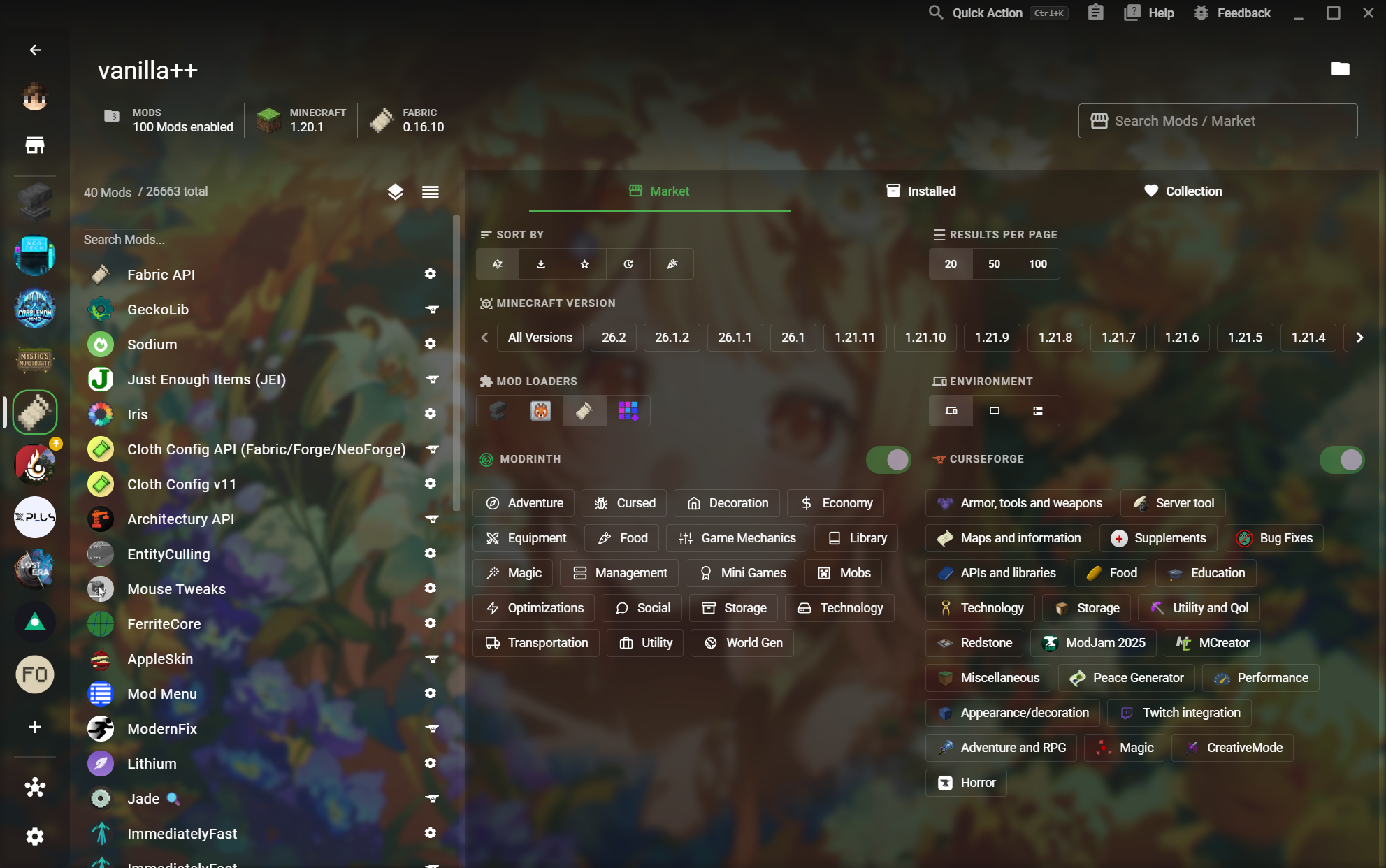
01XMCL online mod search with source and compatibility filters

Search both ecosystems without splitting your focus.

Find projects across Modrinth and CurseForge with version, loader, environment, and category filters. XMCL maps projects across both sources so you can compare the same work with less guesswork.

  • Modrinth and CurseForge search in one flow
  • Minecraft version and loader compatibility filters
  • Cross-platform project mapping
02XMCL mod detail view showing versions and dependencies

Make dependencies part of the plan.

When a mod needs another mod, XMCL can install the dependency with it. When you enable or disable a project, the launcher helps keep the resulting set coherent instead of making you trace the graph manually.
  • Automatic dependency installation
  • Dependency-aware enable and disable actions
  • Inspect versions, loaders, and project metadata
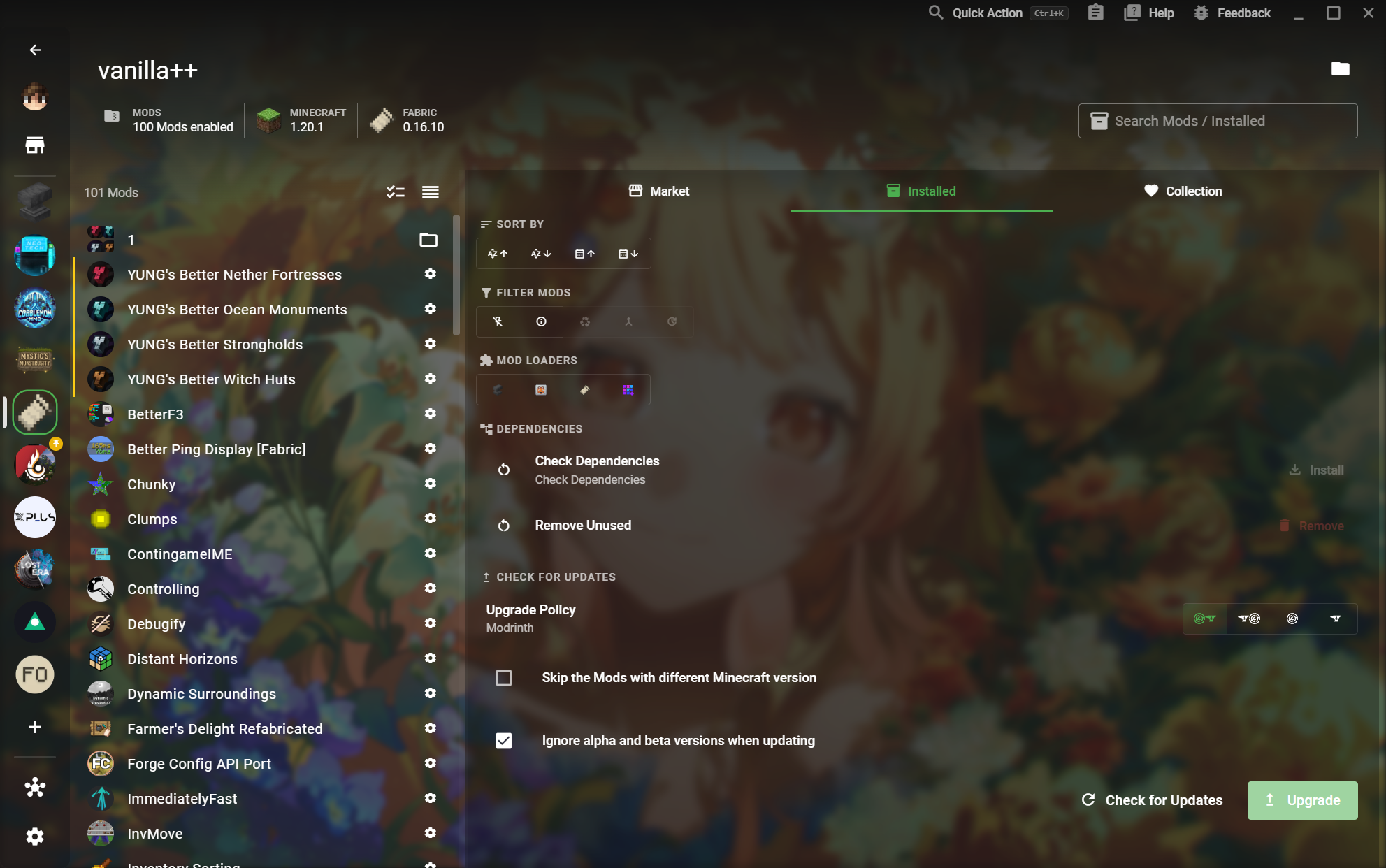
03XMCL installed mod management view with search and update controls

Keep the working set lean and intentional.

Search, sort, group, update, and remove the mods that no longer belong. Custom groups make it easy to test optional content, compare profiles, or keep a release candidate focused.
  • Automatic mod update checks
  • Custom groups for optional and test content
  • Find and remove unused mods
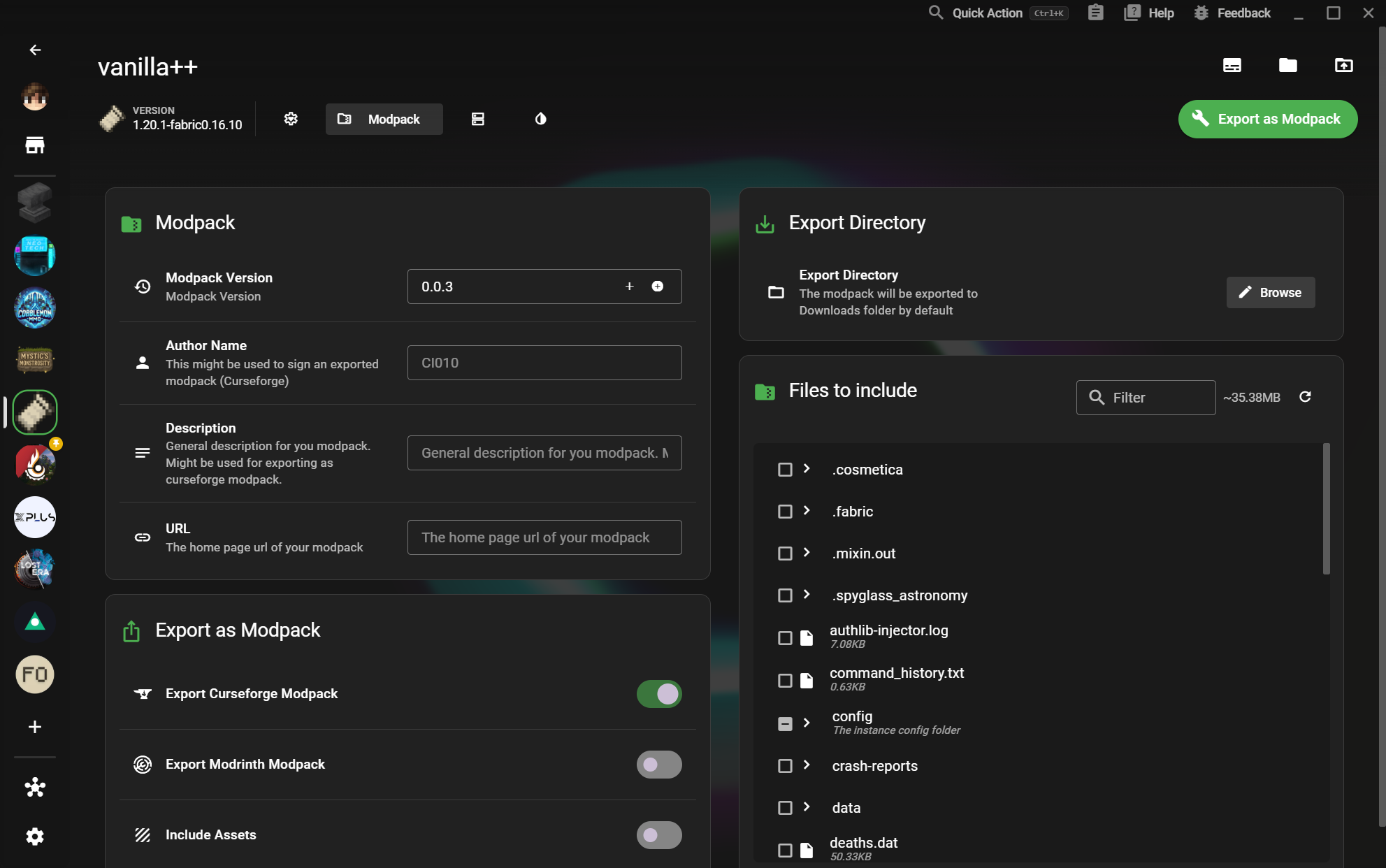
04XMCL modpack export screen for Modrinth and CurseForge formats

Ship one pack in the format your players need.

Export a polished Modrinth or CurseForge modpack with the right metadata and selected files. The release step becomes a repeatable part of the workflow, not a last-minute archive operation.
  • One-click Modrinth and CurseForge export
  • Author, description, URL, and version metadata
  • Choose exactly which files and assets ship
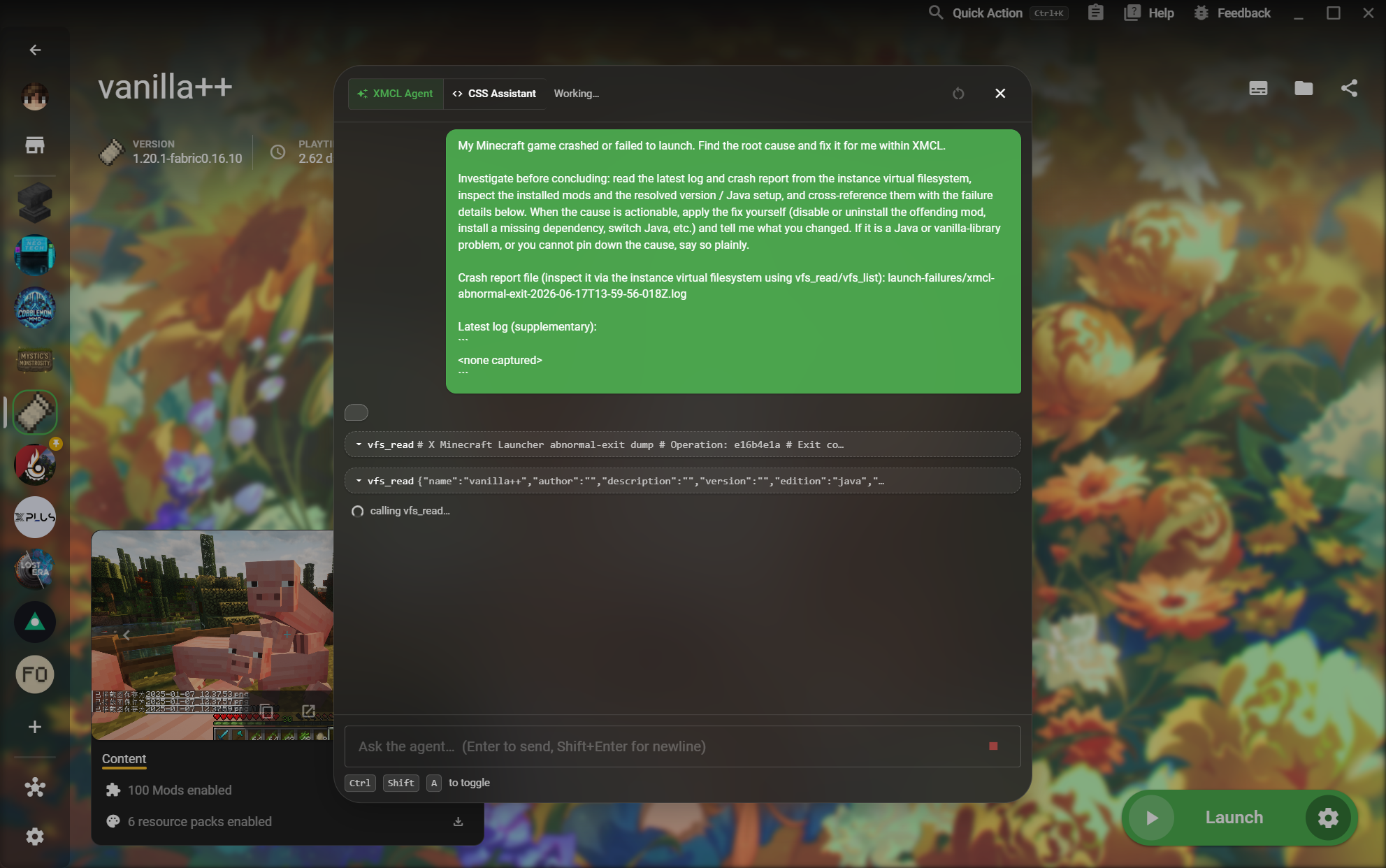
05XMCL AI agent investigating a Minecraft launch failure

Let AI help turn crash reports into fixes.

When a test launch fails, XMCL puts logs, crash reports, and an AI agent in the same place. The agent can inspect the instance context and explain an actionable next step.

  • Read launch logs and crash reports in context
  • AI-assisted investigation of instance files
  • Resolve mod conflicts before release
A WORKBENCH FOR YOUR NEXT RELEASE

Make the pack. Ship the pack. Keep it healthy.

XMCL gives creators a fast local loop for discovery, testing, diagnosis, and export across the two ecosystems your players already use.

Explore every feature