Skip to content
XMCL / 기능 카탈로그

런처 기능 한눈에 보기

모드 Minecraft 환경을 만들고 이해하고 공유하기 쉽게 해 주는 작업 흐름을 살펴보세요.

22 기능 표시 중
01정리된 인스턴스 라이브러리
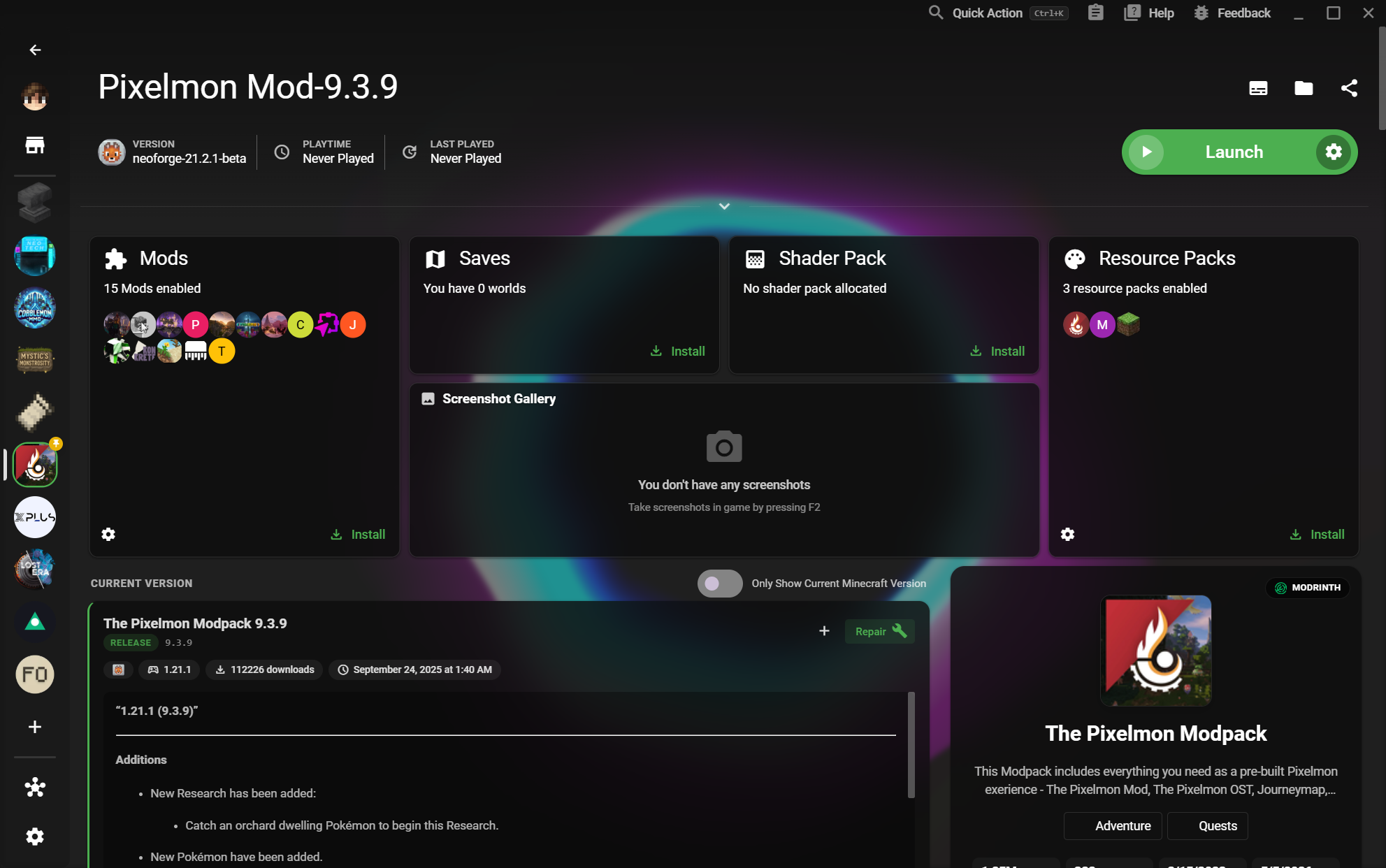
인스턴스

정리된 인스턴스 라이브러리

See vanilla, modded, and experimental worlds together in one launch-ready home.

  • See Mods, Saves, and resources at a glance
작업 흐름 보기
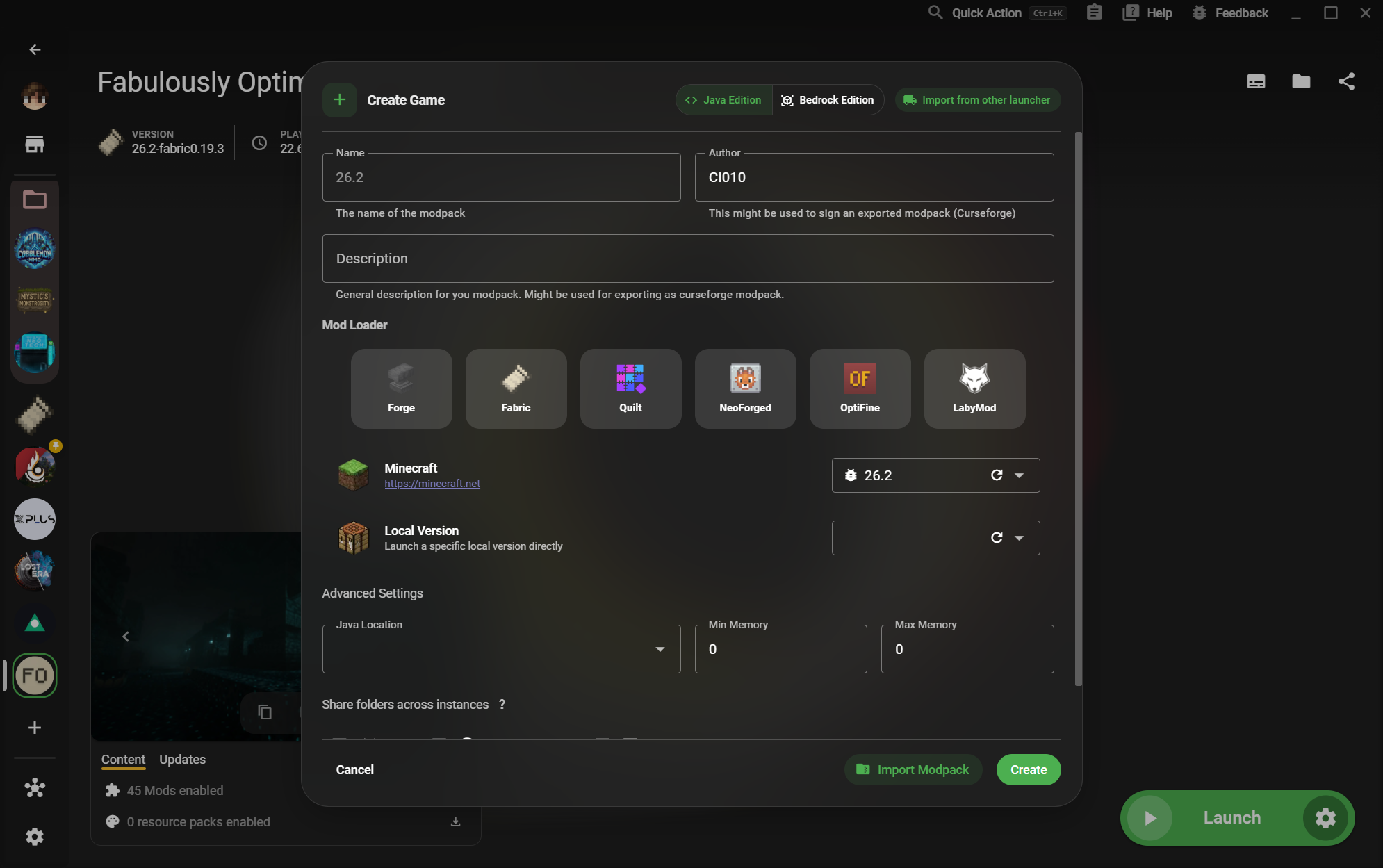
02Java 및 Bedrock 인스턴스 만들기
인스턴스카탈로그

Java 및 Bedrock 인스턴스 만들기

Start a new setup with the loader and edition that matches the world you want to play.

  • Forge, Fabric, Quilt, NeoForge, OptiFine, and LabyMod
작업 흐름 보기
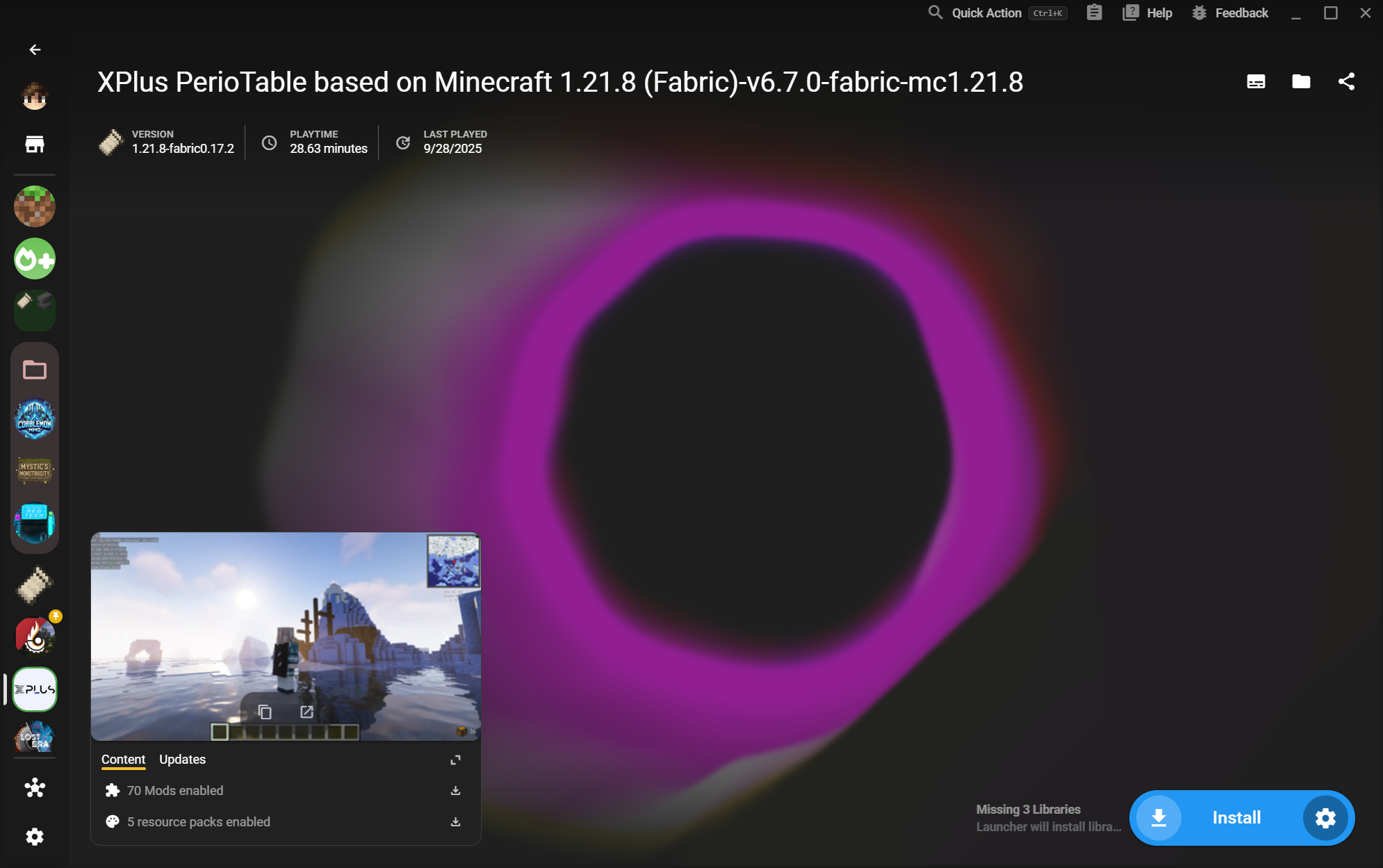
03인스턴스 폴더 그룹
인스턴스카탈로그

인스턴스 폴더 그룹

Arrange many instances into folders so different worlds and setups stay easy to scan.

  • Keep related setups together
작업 흐름 보기
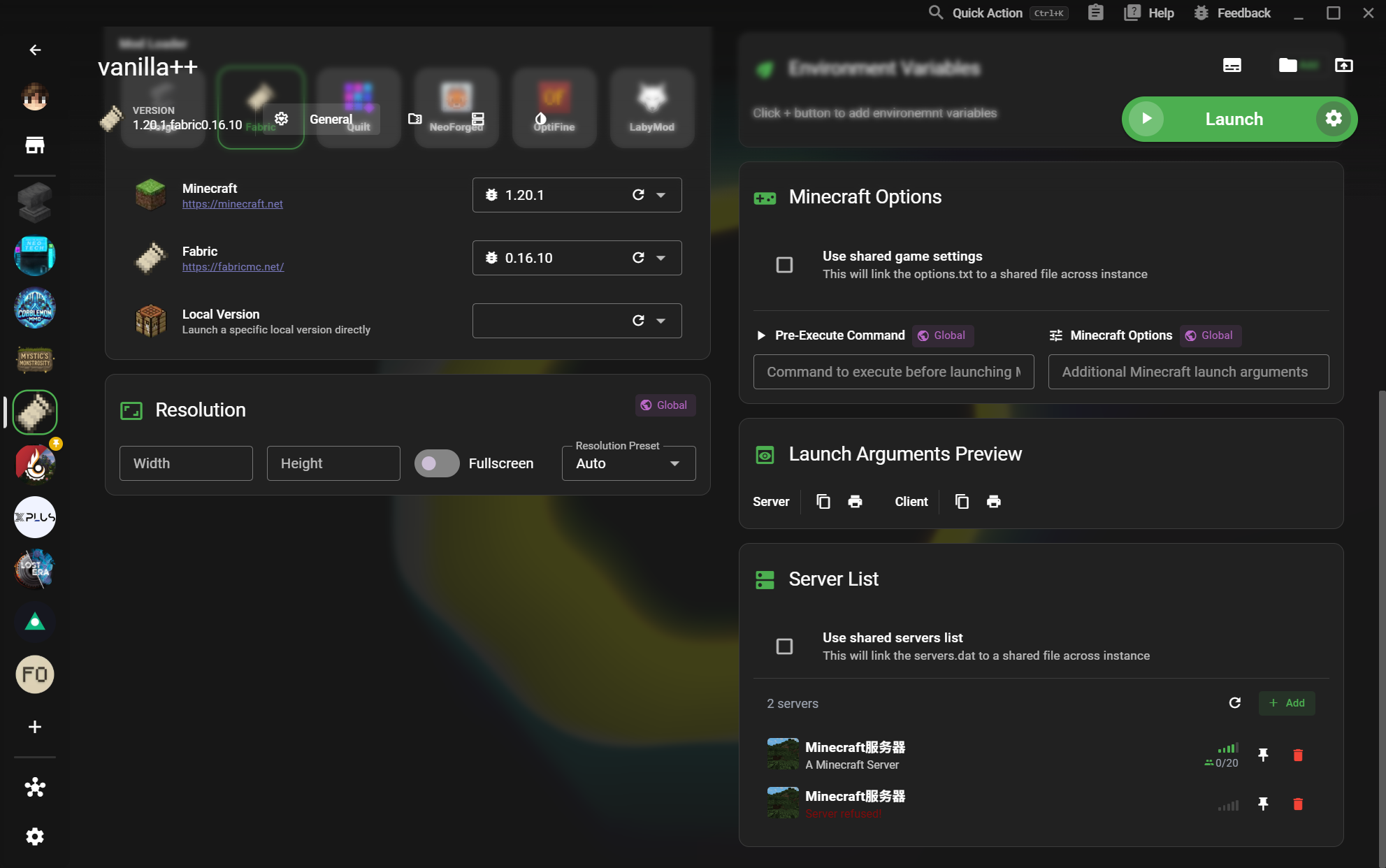
04인스턴스 설정
인스턴스가이드

인스턴스 설정

Tune Java, memory, versions, loaders, and launch behavior without touching another setup.

  • Version and loader selection
작업 흐름 보기
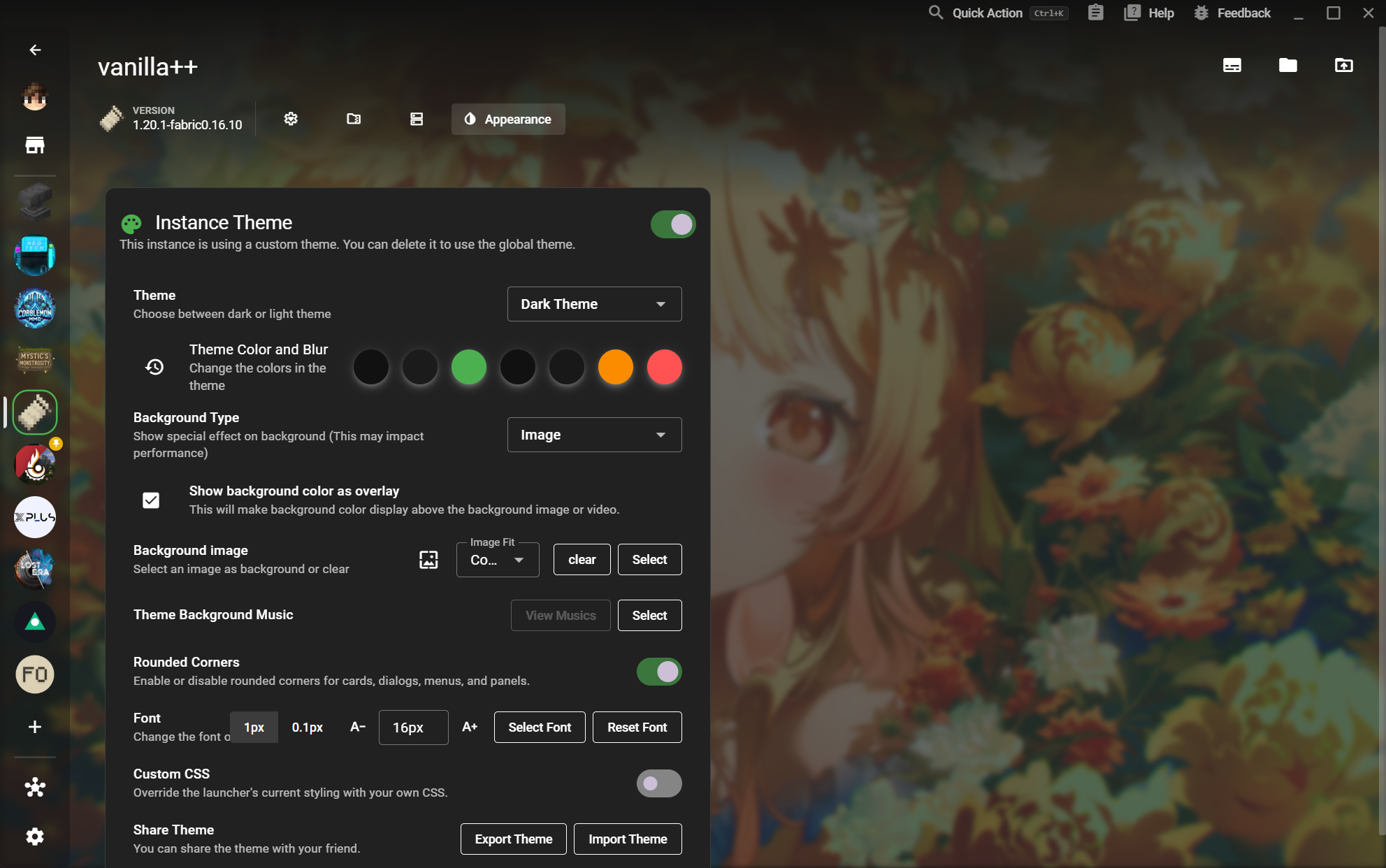
05인스턴스 테마
인스턴스상세

인스턴스 테마

Give each world its own identity with backgrounds, colors, blur, fonts, and custom CSS.

  • Rounded corners and font controls
작업 흐름 보기
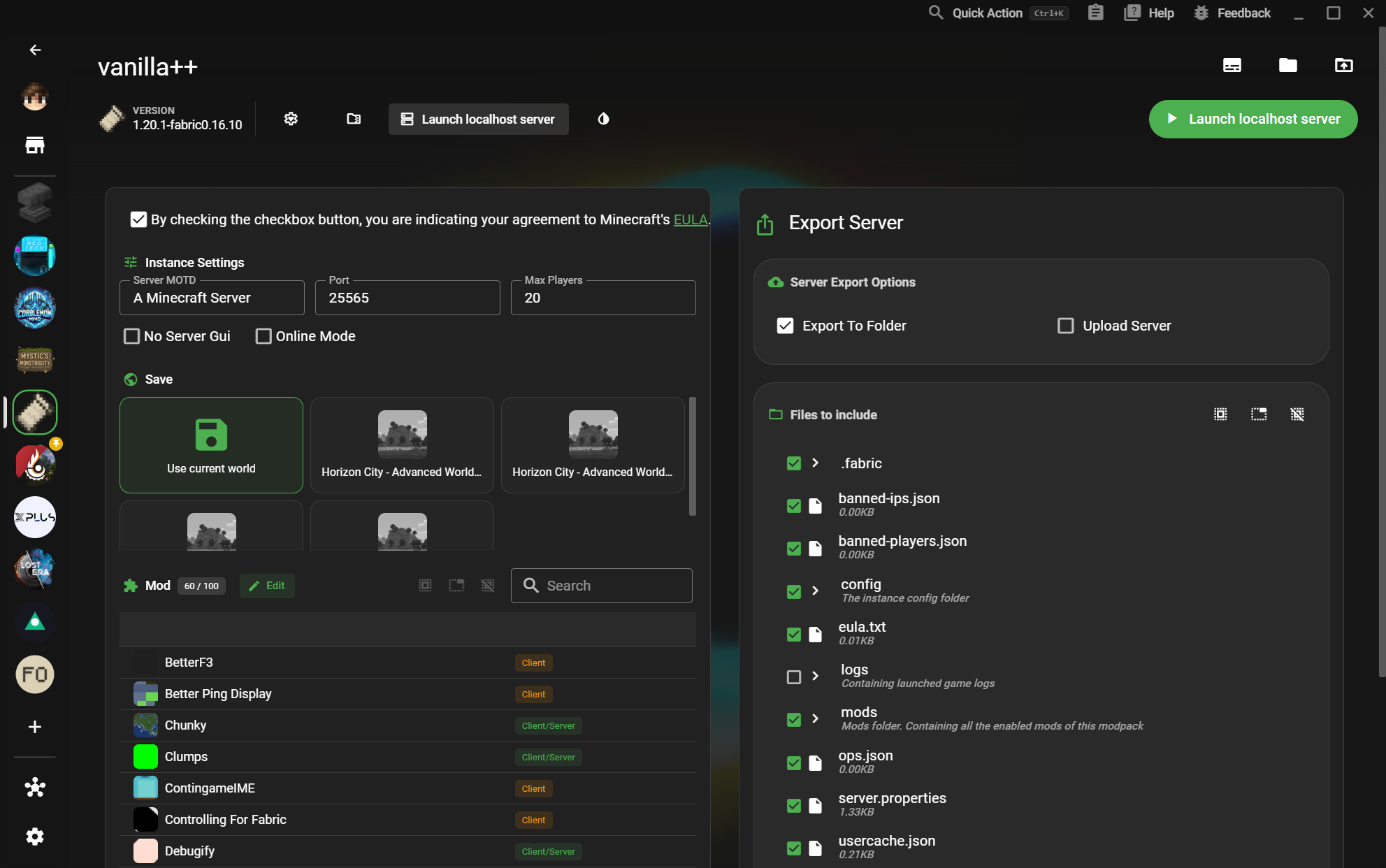
06로컬 서버 실행
인스턴스상세

로컬 서버 실행

Turn an instance into a configurable local server with a world, player limit, and exportable files.

  • World and server file selection
작업 흐름 보기
07서버 목록
인스턴스상세

서버 목록

Keep multiplayer destinations close to the instance that uses them and see their connection state.

  • Pin and remove destinations
작업 흐름 보기
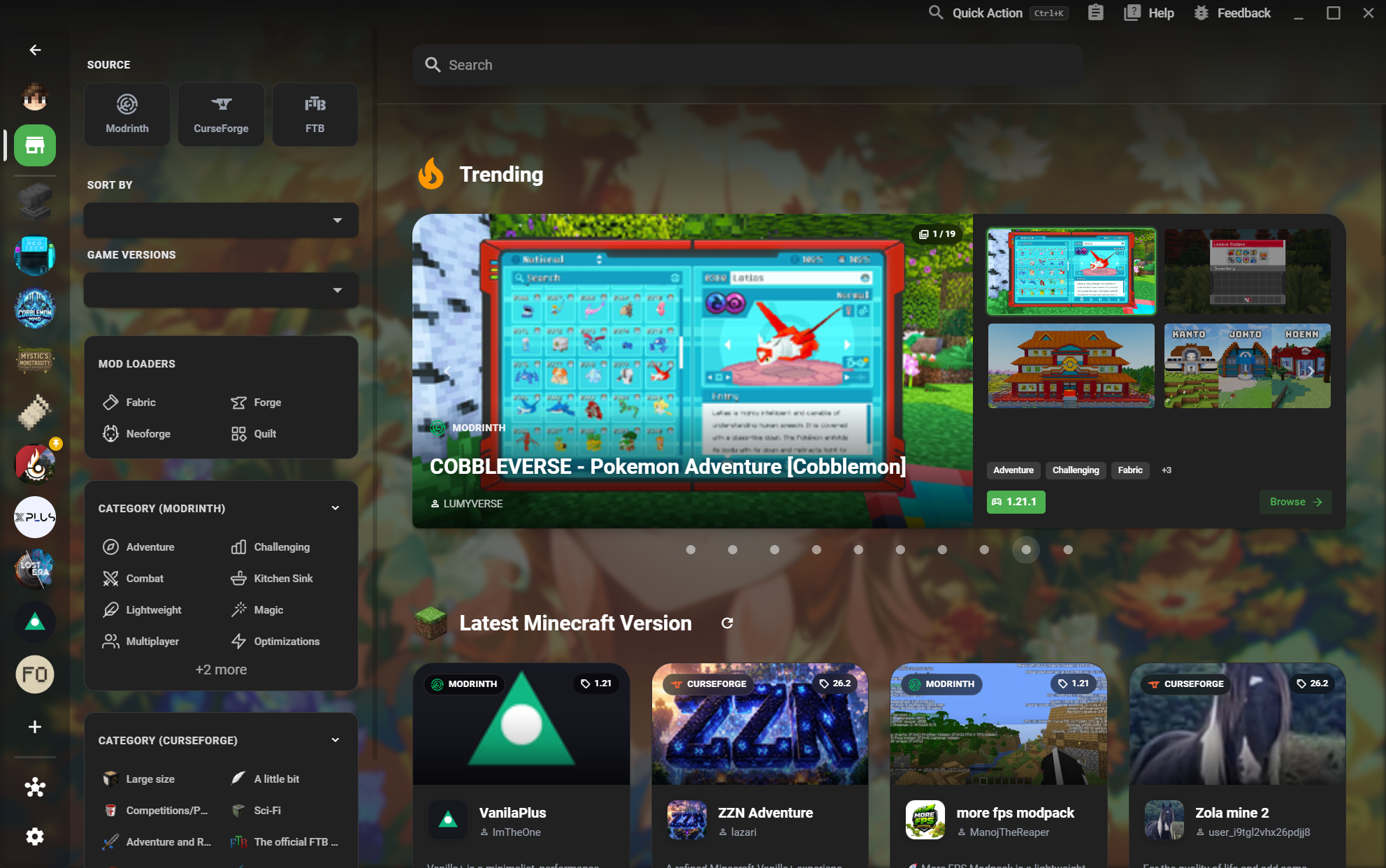
08모드팩 마켓
커뮤니티

모드팩 마켓

Browse Modrinth, CurseForge, and FTB content from one searchable marketplace.

  • Trending and latest pack discovery
작업 흐름 보기
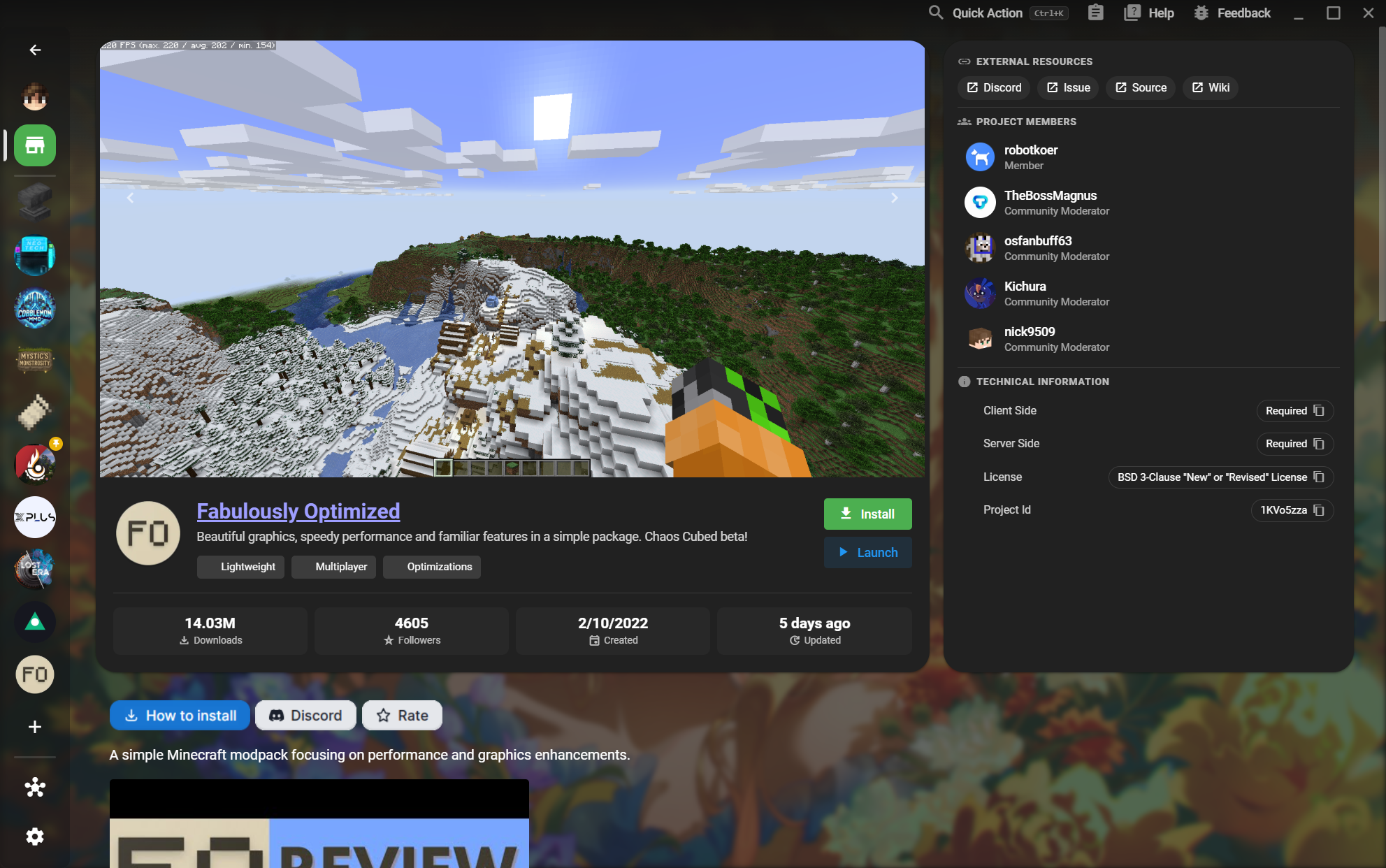
10모드팩 상세
커뮤니티상세

모드팩 상세

Understand a pack before installing it, from screenshots and authors to technical requirements.

  • Install and launch actions
작업 흐름 보기
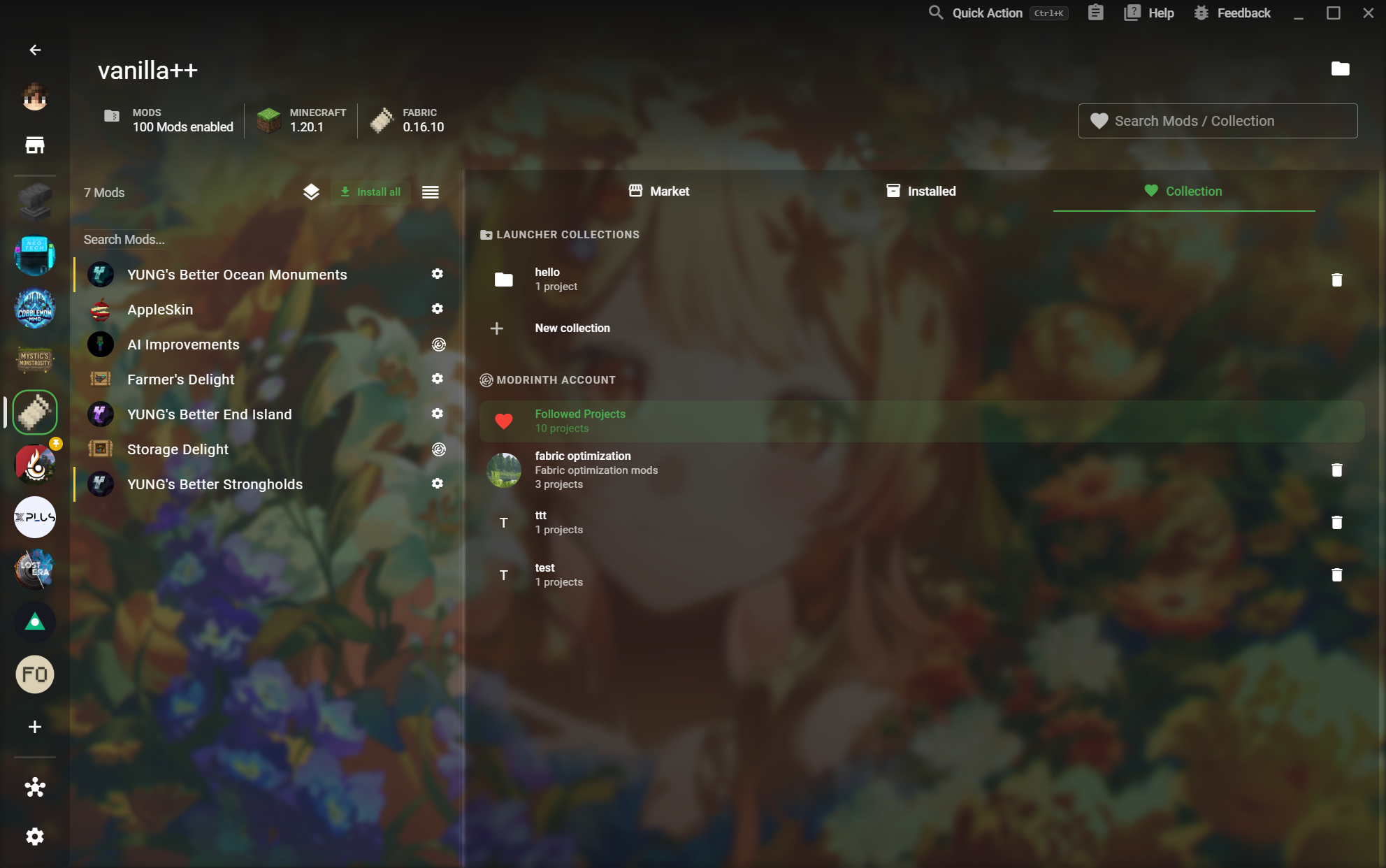
11모드 컬렉션
커뮤니티카탈로그

모드 컬렉션

Save projects you want to revisit and turn a collection into a reusable setup.

  • Followed Modrinth projects
작업 흐름 보기
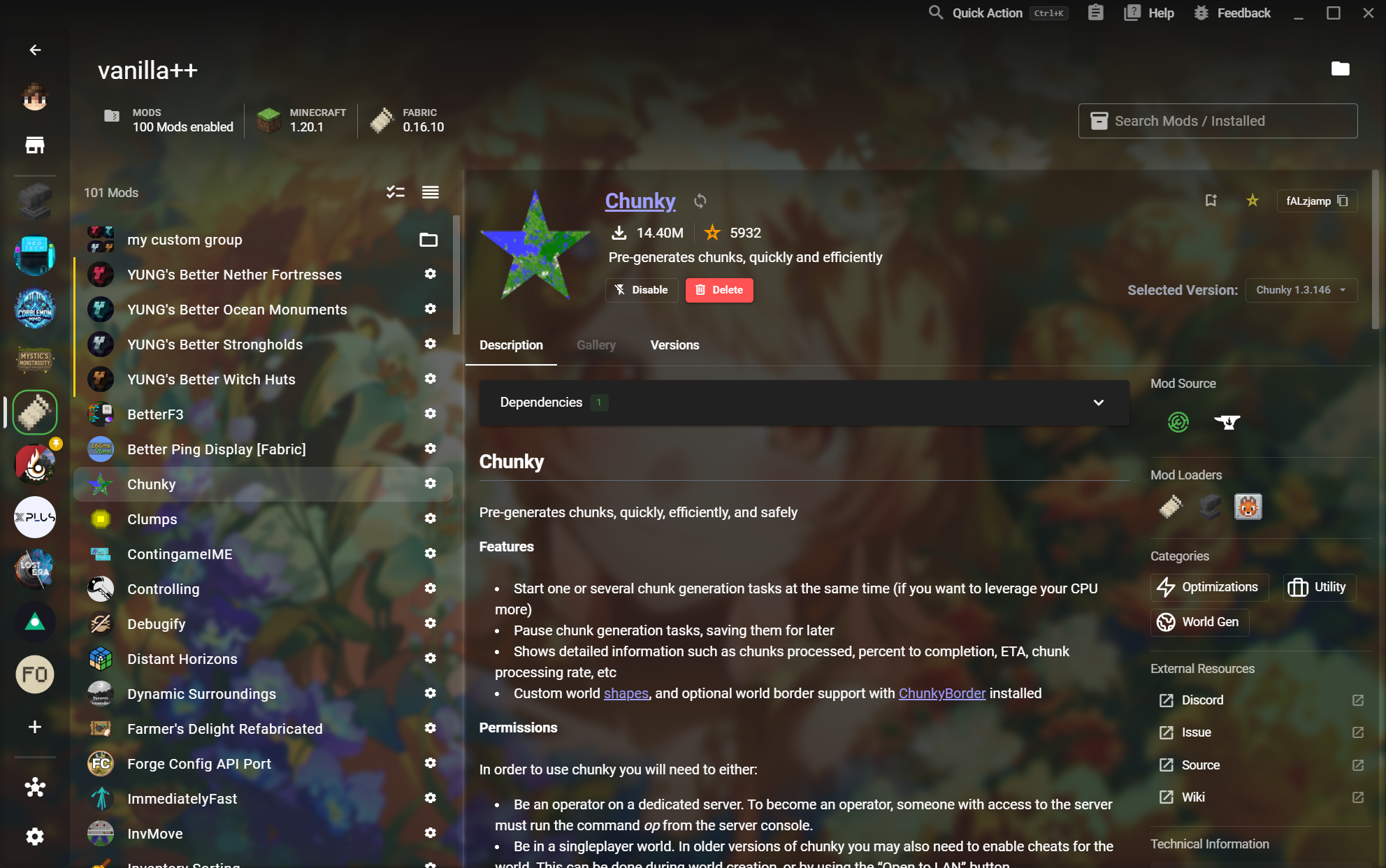
12모드 상세
커뮤니티상세

모드 상세

Inspect a Mod before changing your instance and understand its versions, dependencies, and sources.

  • Loaders, categories, and source links
작업 흐름 보기
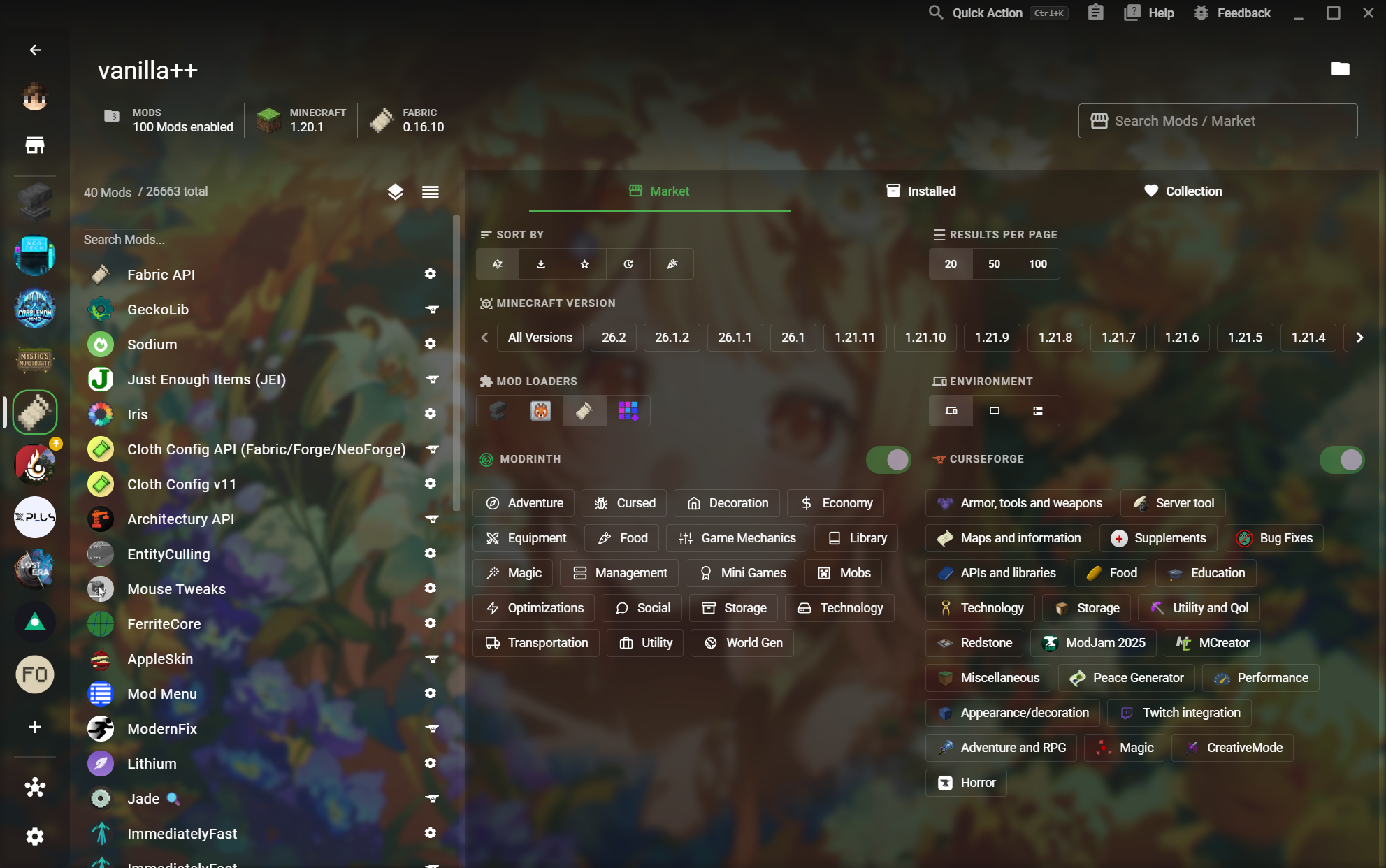
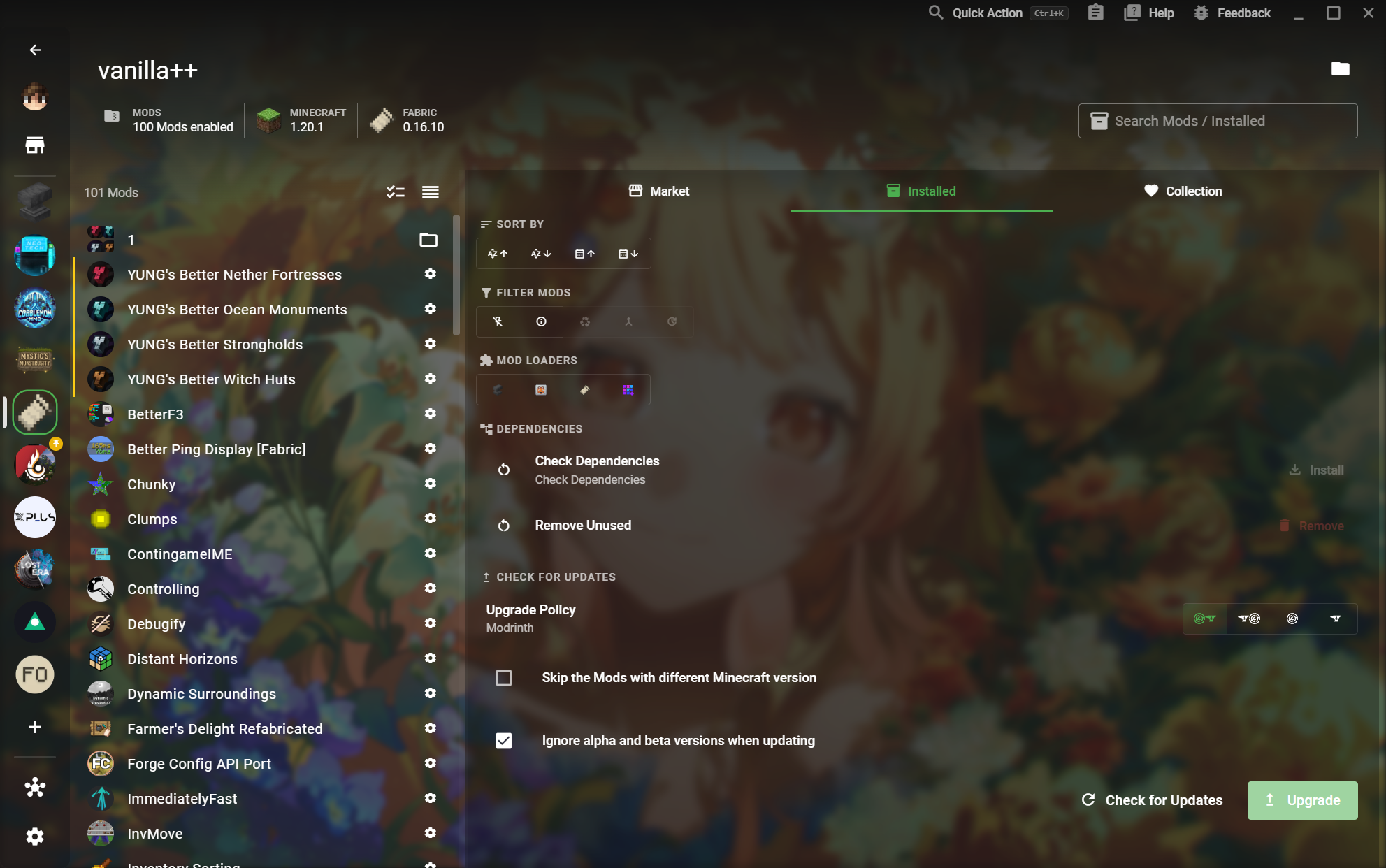
13설치된 모드 관리
모드 관리

설치된 모드 관리

See what is enabled, filter it quickly, and keep the working set healthy.

  • Check dependencies and unused content
작업 흐름 보기
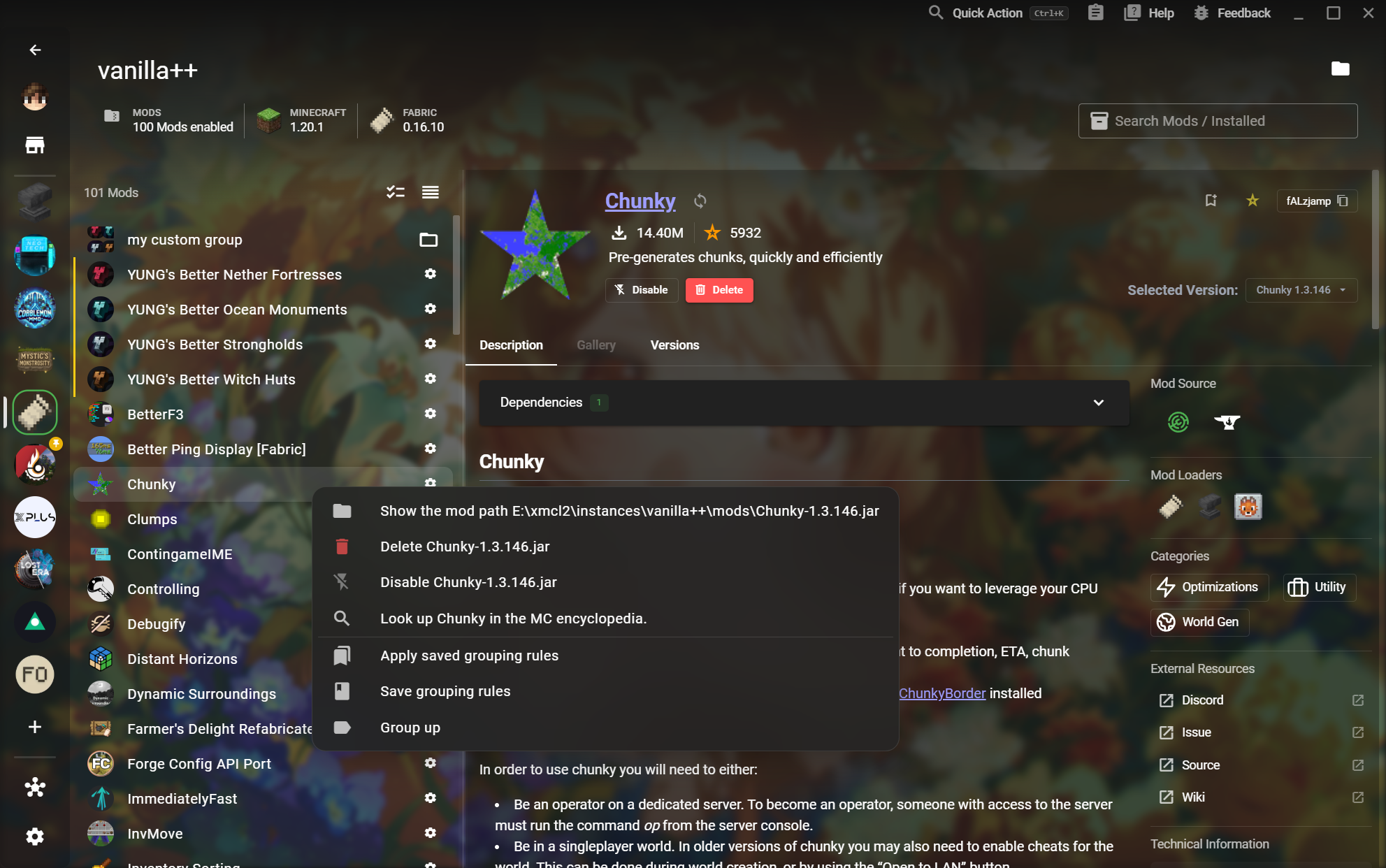
14사용자 지정 모드 그룹
모드 관리상세

사용자 지정 모드 그룹

Build your own groups and save the rules that organize a complex instance.

  • Group Mods from the context menu
작업 흐름 보기
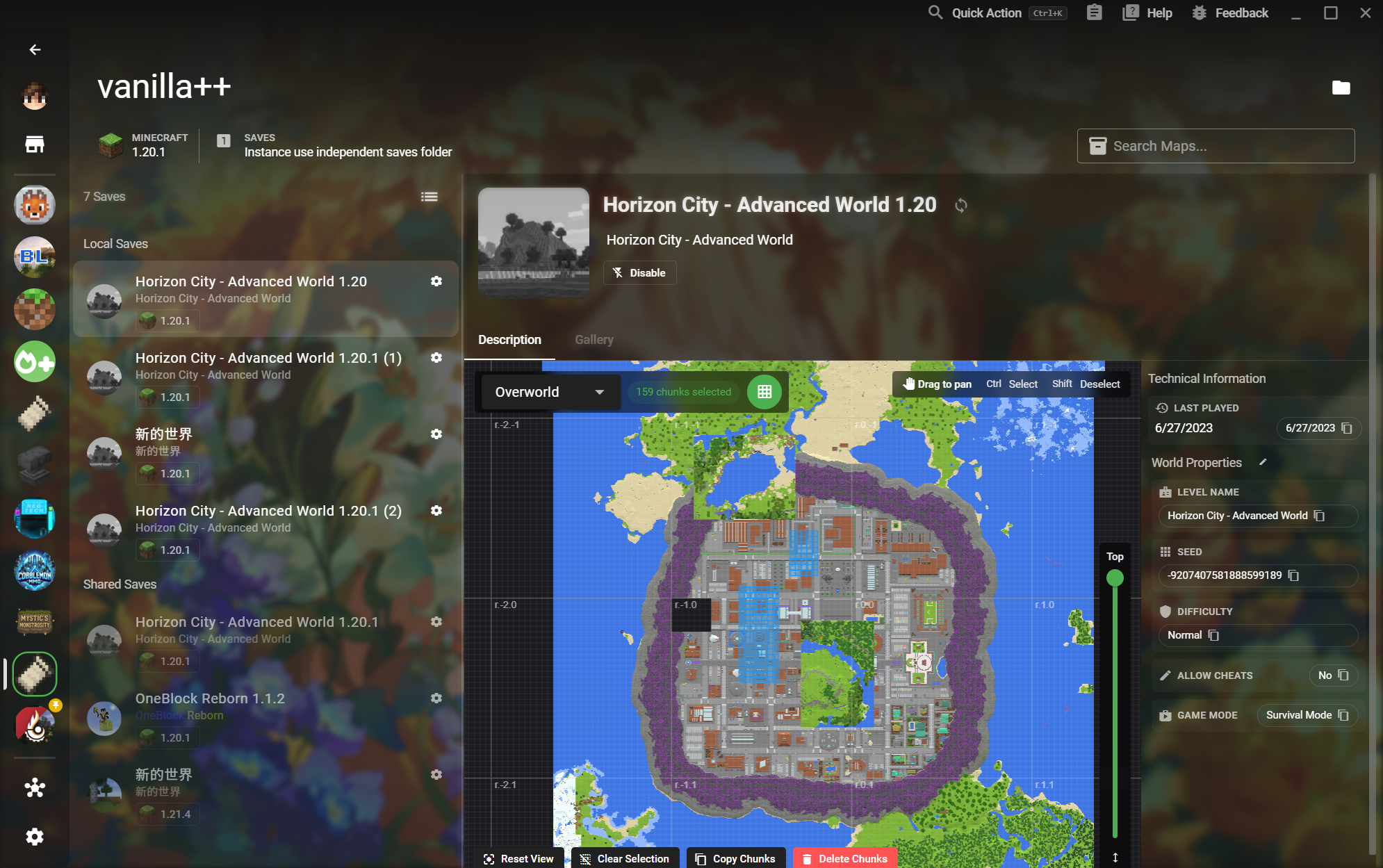
15세이브 미리보기와 청크 도구
월드 도구

세이브 미리보기와 청크 도구

Read a world visually before launching it and make precise Chunk-level changes.

  • Select, copy, or delete Chunks
작업 흐름 보기
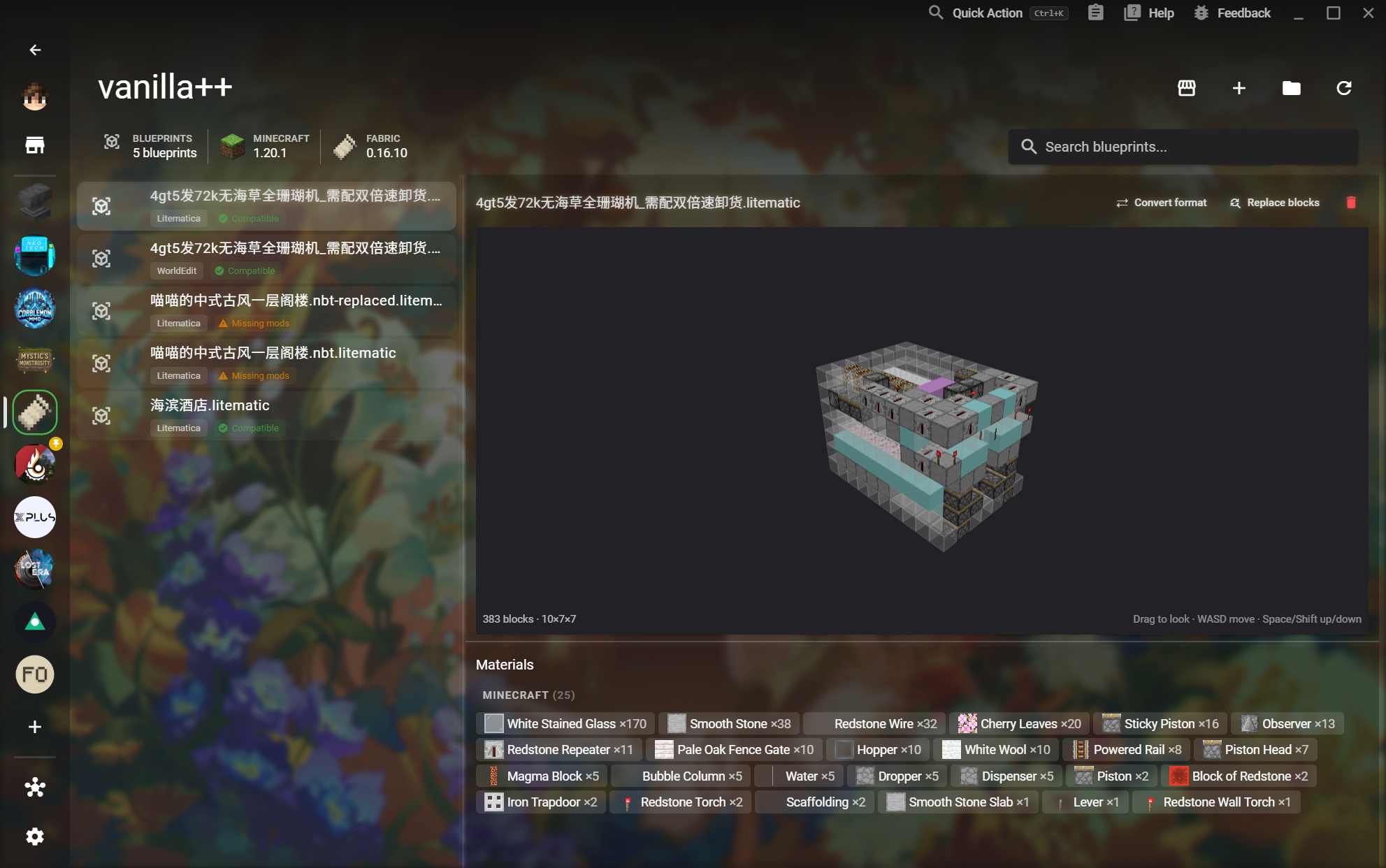
16블루프린트 미리보기
월드 도구카탈로그

블루프린트 미리보기

Preview a structure in 3D and verify compatibility and materials before placing it in-game.

  • Compatibility and missing Mod status
작업 흐름 보기
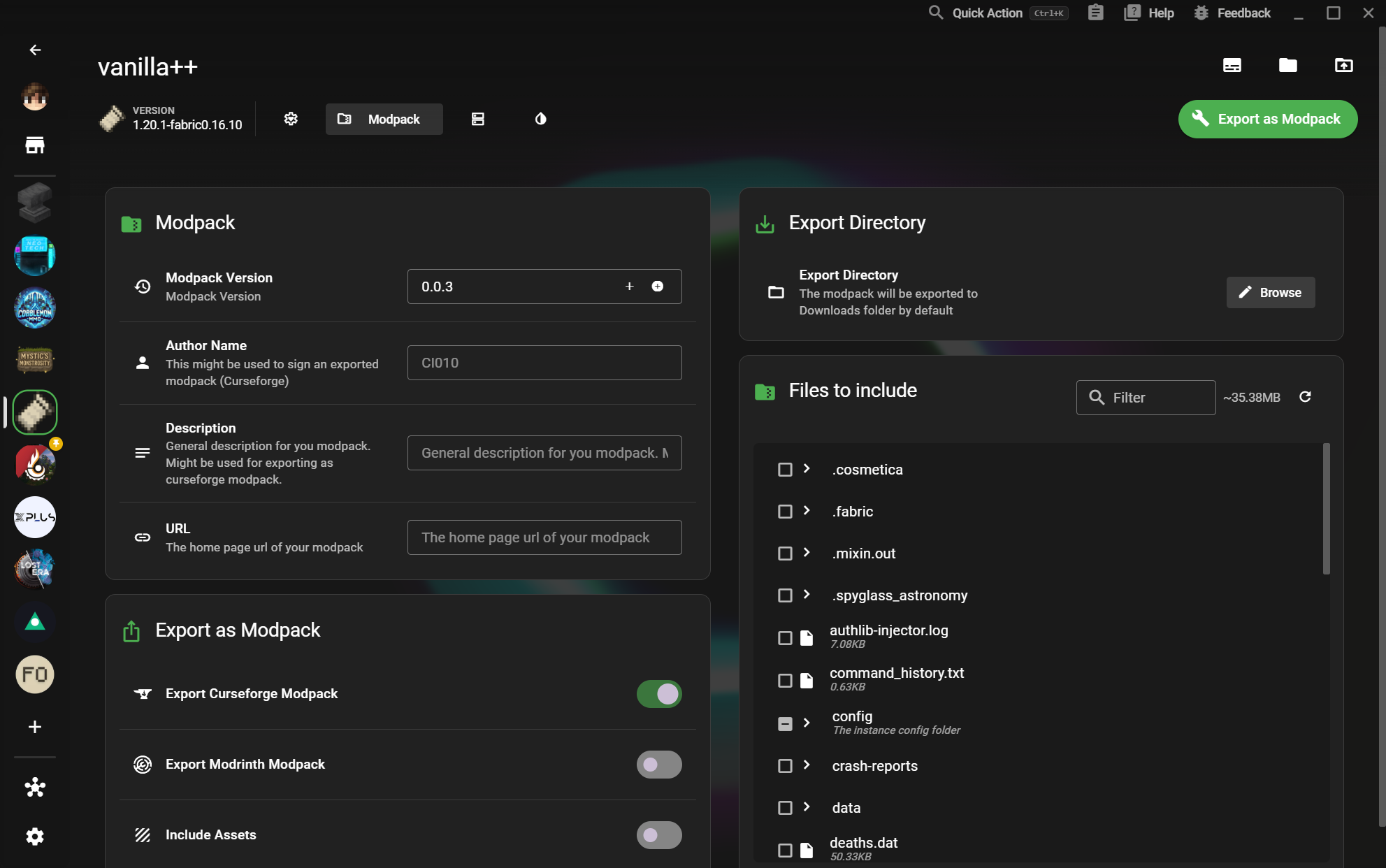
17모드팩 내보내기
공유상세

모드팩 내보내기

Package an instance for other players without losing the metadata and files that make it work.

  • Author, description, and URL metadata
작업 흐름 보기
18서버 내보내기
공유상세

서버 내보내기

Select the right world and server files, then export a local server with a clear configuration.

  • Select server files
작업 흐름 보기
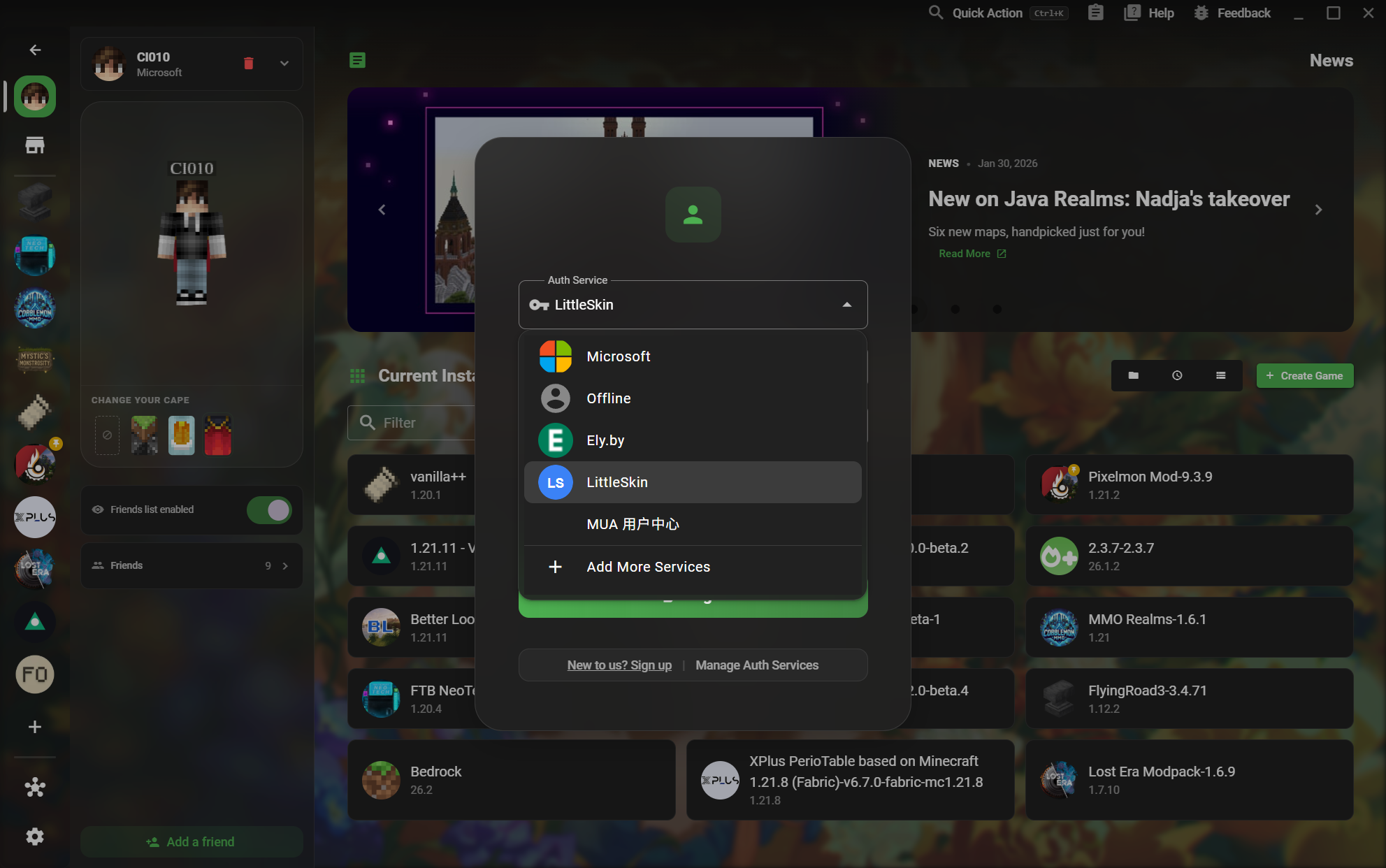
19여러 인증 서비스
계정카탈로그

여러 인증 서비스

Choose the account service that matches how you play, from Microsoft to offline and third-party services.

  • Ely.by and LittleSkin services
작업 흐름 보기
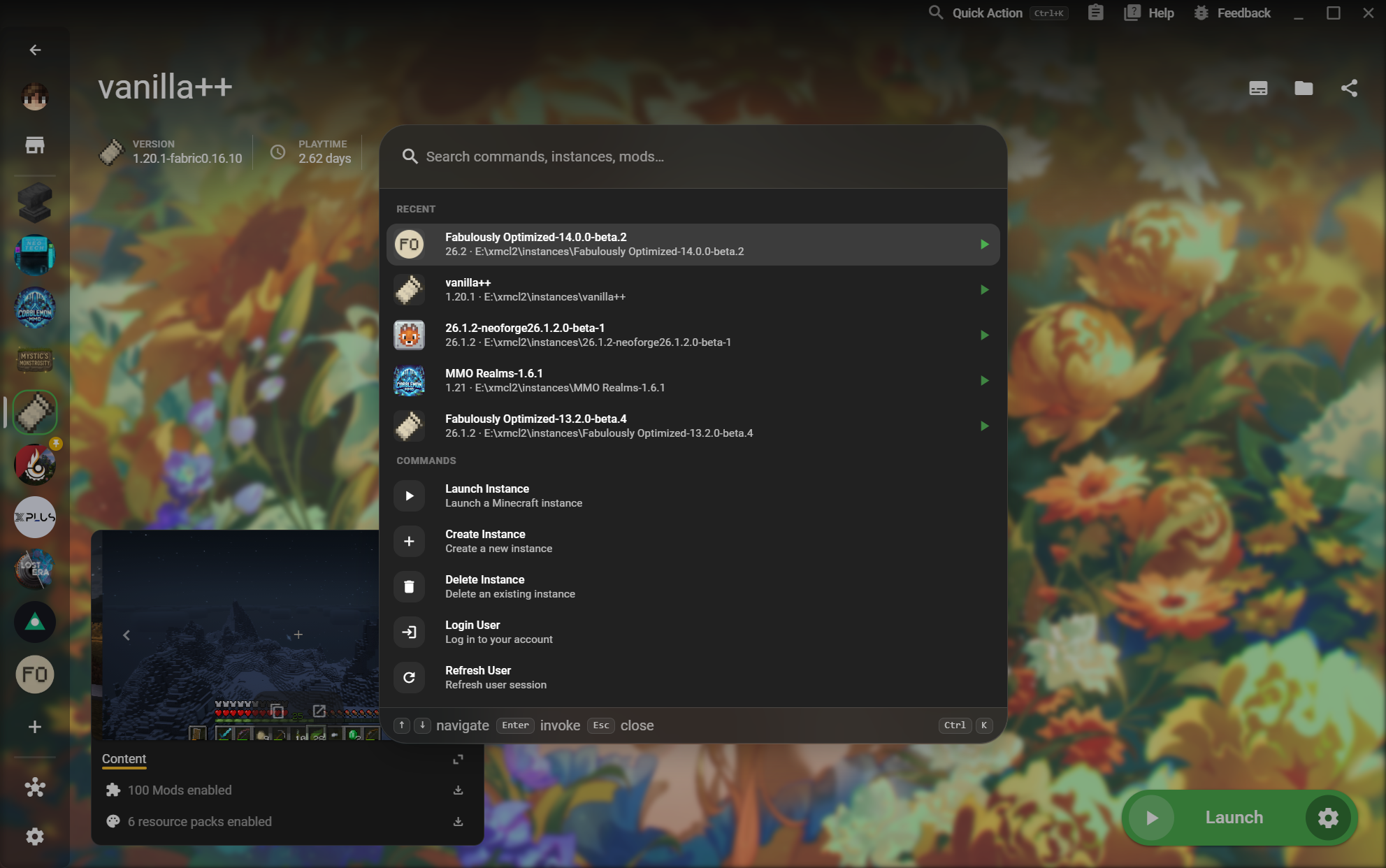
20빠른 작업
계정카탈로그

빠른 작업

Find instances and commands without leaving the page you are working on.

  • Launch or create an instance
작업 흐름 보기
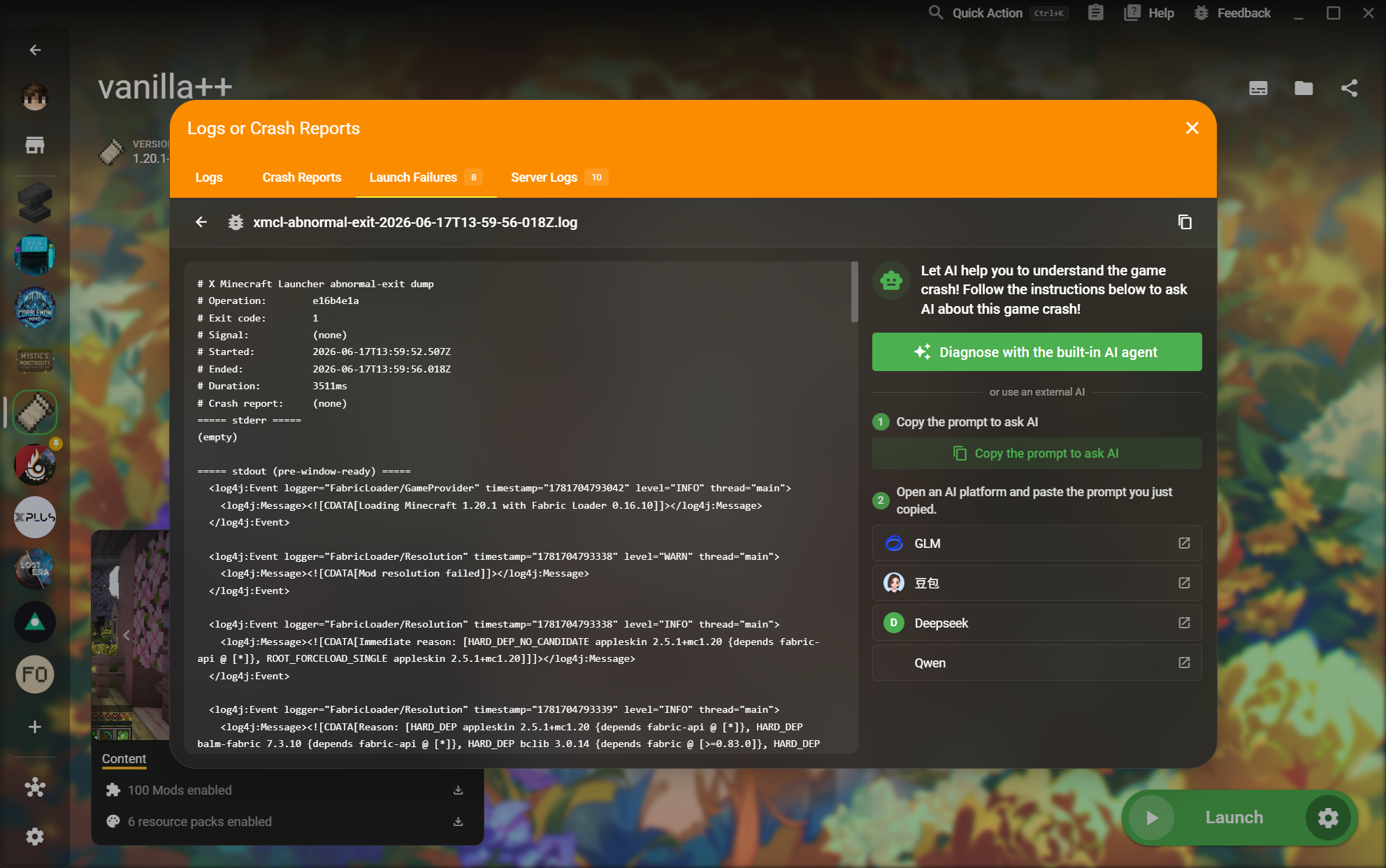
21충돌 및 실행 실패 보고서
진단카탈로그

충돌 및 실행 실패 보고서

Read the actual logs, crash reports, and server output behind a failed launch.

  • Mod resolution errors and exit codes
작업 흐름 보기
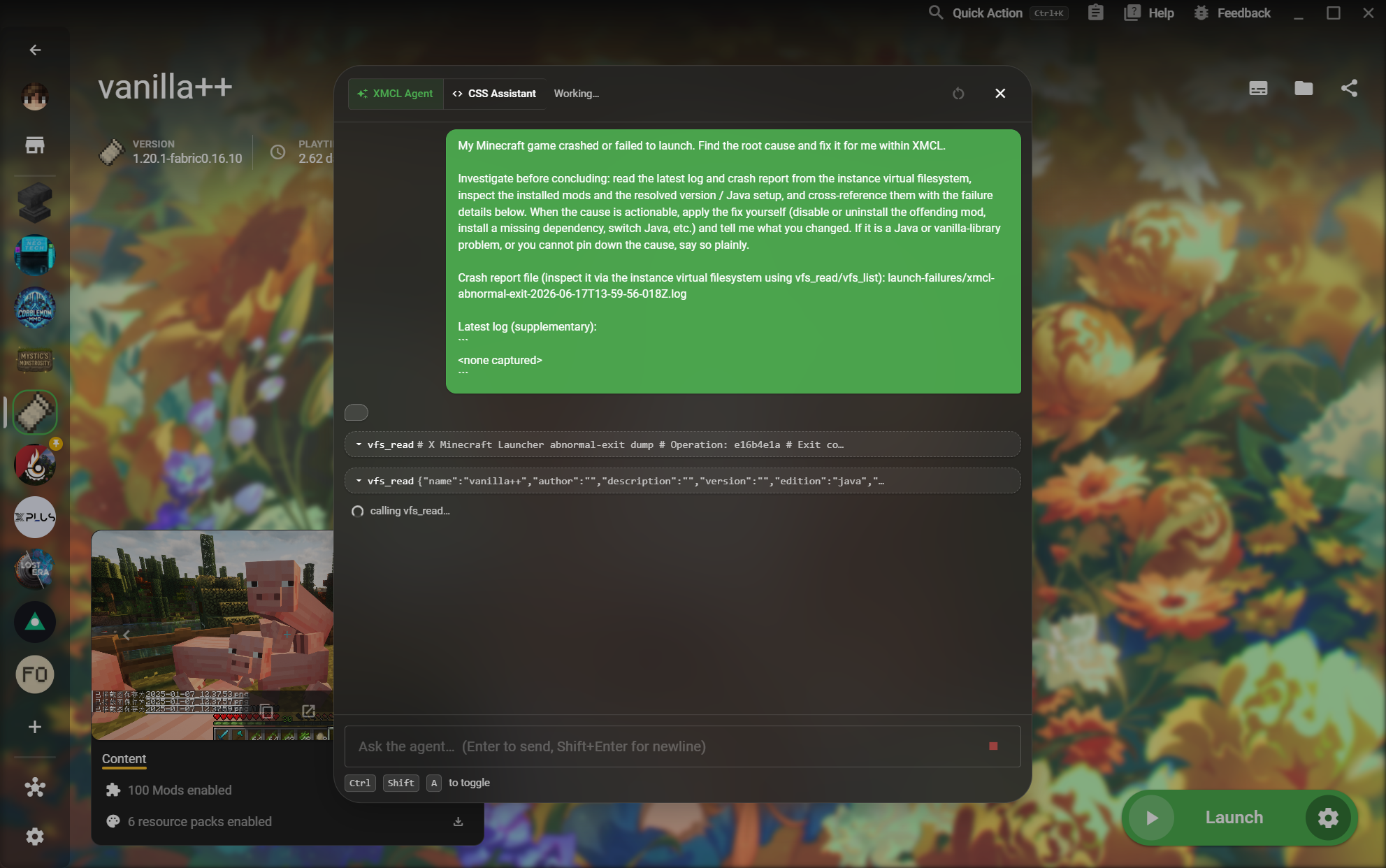
22내장 AI Agent
진단상세

내장 AI Agent

Let an agent inspect the instance virtual filesystem and explain an actionable fix.

  • Investigate before making a conclusion
작업 흐름 보기